
See what you'd log in to.
These are real screens from the portal, running on a sample company. Your CPA sets up your books before you log in, so this is what is waiting for you.
The Libra Financial portal is where you and your CPA work on your books. It shows what needs your answer, keeps your reports current, and lets you click a figure on your reports to see the entries behind it. It works on a computer and in your phone's browser. The portal comes in dark and light, and you pick either with one click. You'll see both below.
Showing the screens in a mix of dark and light.


Your CPA set it up. You see what needs you.
Log in and your To Do list is first. Under it: cash on hand, sales this month, late sales invoices and purchase invoices, and profit so far this year. Quick reports are one click away.

Categorize a month in minutes.
Every line shows what it is and whether it is done. Send one to your CPA, or review the batch and send them all. Set a rule for charges that repeat, like rent or your phone bill, and they categorize themselves from then on.

Your CPA asks. You answer in a sentence.
Questions are tied to the transaction they are about, so nobody has to explain which charge they mean. Your statements, receipts and year-end paperwork live in the same place.
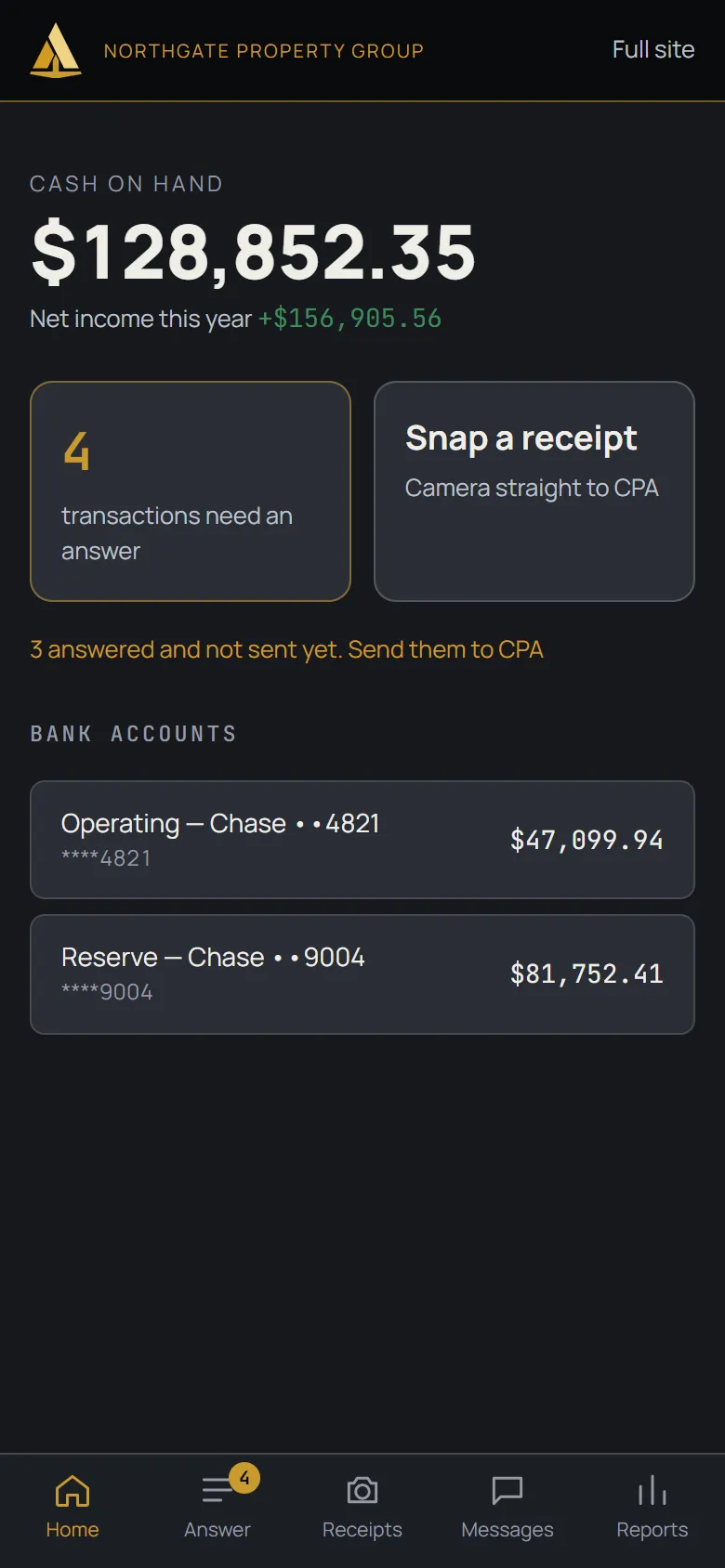
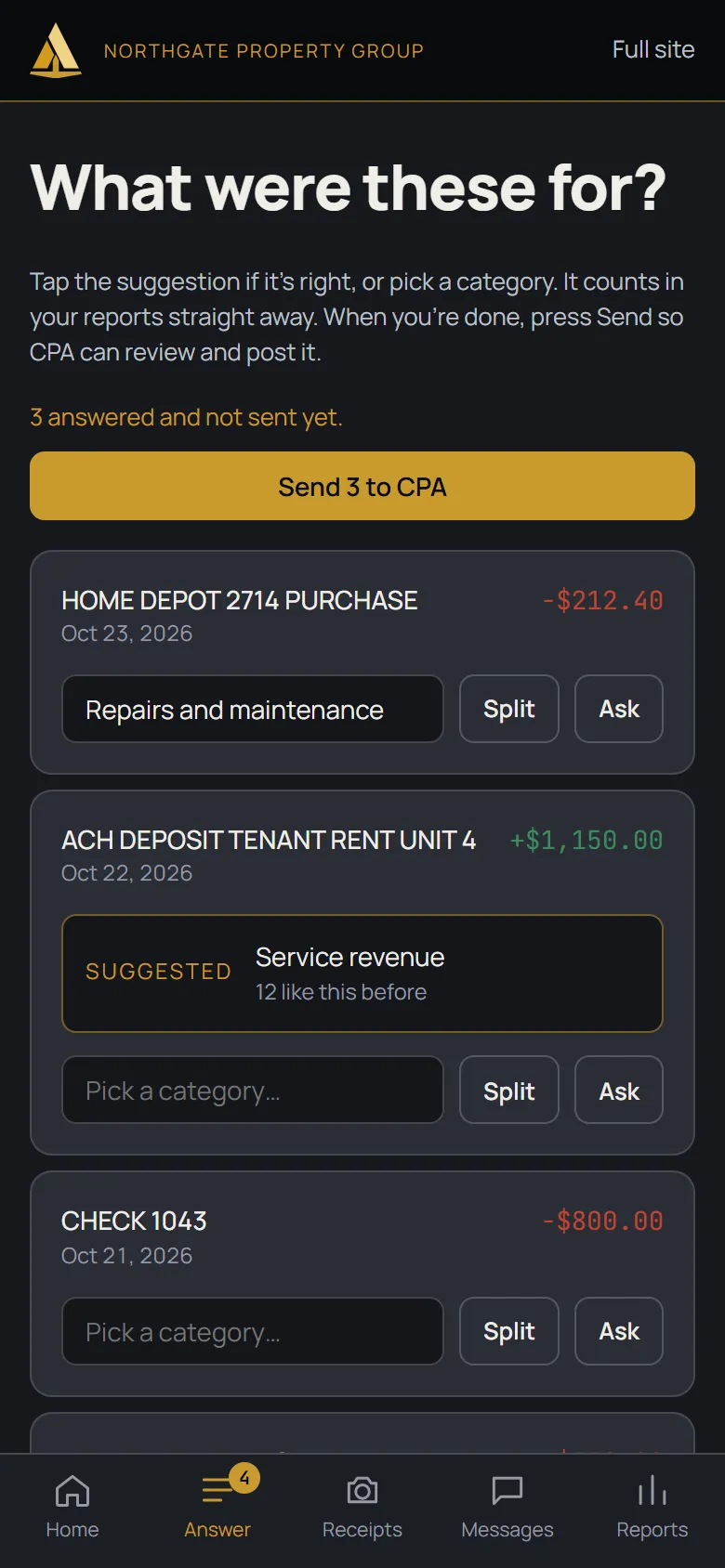
Answer from your phone.
Tap the suggestion if it is right, or pick a category. It counts in your reports straight away, and your CPA reviews and posts it. Snap receipts and check reports too. It works in your phone's browser, nothing to download.

Reports that look like an accountant made them.
Classic profit and loss and balance sheet layouts. Add last period and the difference next to this one, then export to Excel. Need a different view? Pick your own rows and columns, save the layout, and run it any time.

Numbers you can click.
Click a figure on your reports and see the entries behind it, with the date, description and amount. Search them, filter them, or send them to Excel.
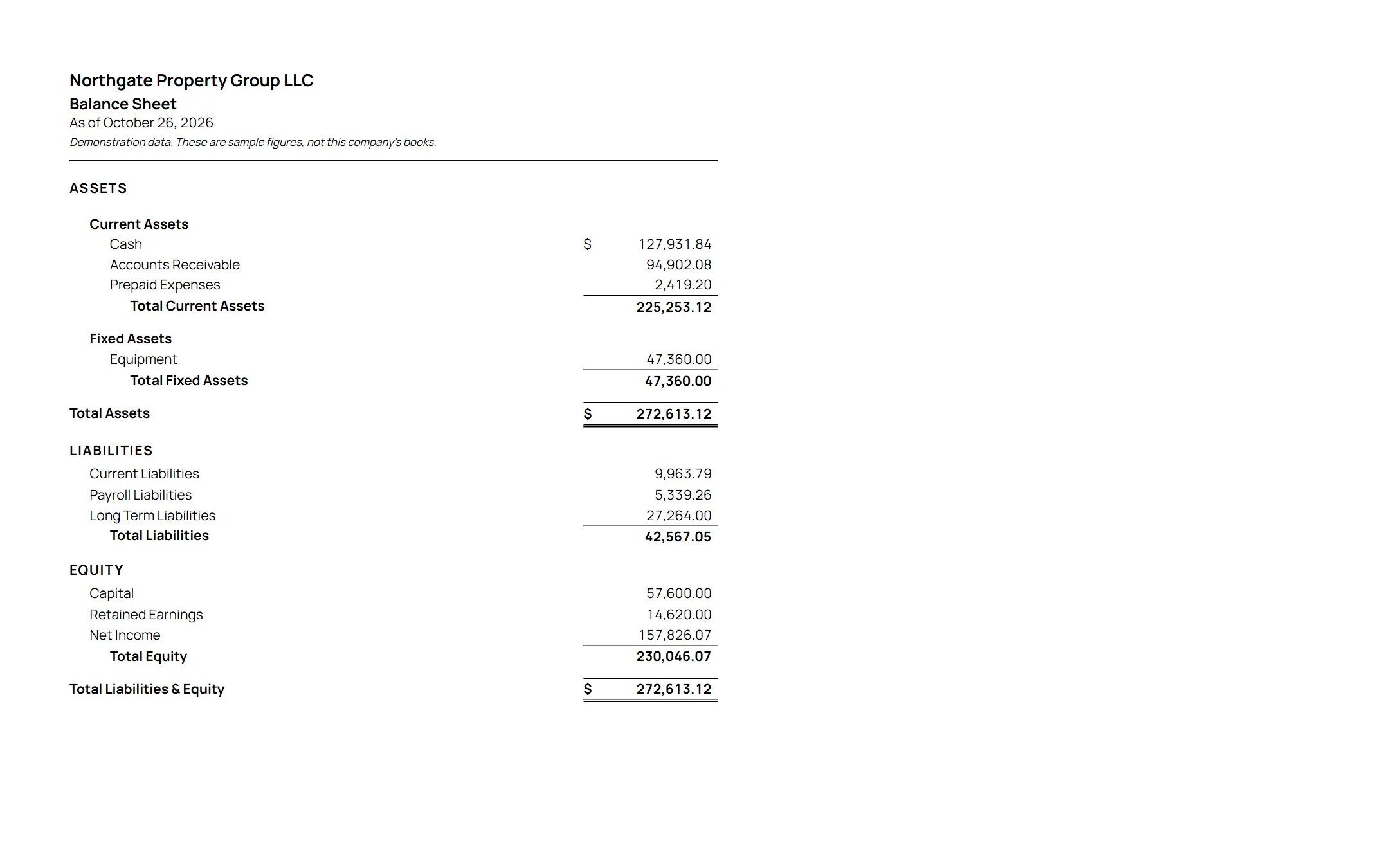
Print it when the bank asks.
Financial statements on your own letterhead, ready to hand to a lender or landlord.
Own more than one business?
One portal, every entity, and consolidated statements with the money between them removed.
In the portal, a switcher at the top lists your businesses. Pick one and you are in its books. A group page puts every company's figures side by side, and each figure opens that company's detail. For a group your CPA consolidates, one more entry, "All businesses", opens the consolidated balance sheet and profit and loss.
Your CPA sets up the consolidation for your group of businesses once, then runs it at month end. The consolidated figures are as of that last run, and they are prepared for your own use, with no assurance given. Ask us how it works for your businesses.